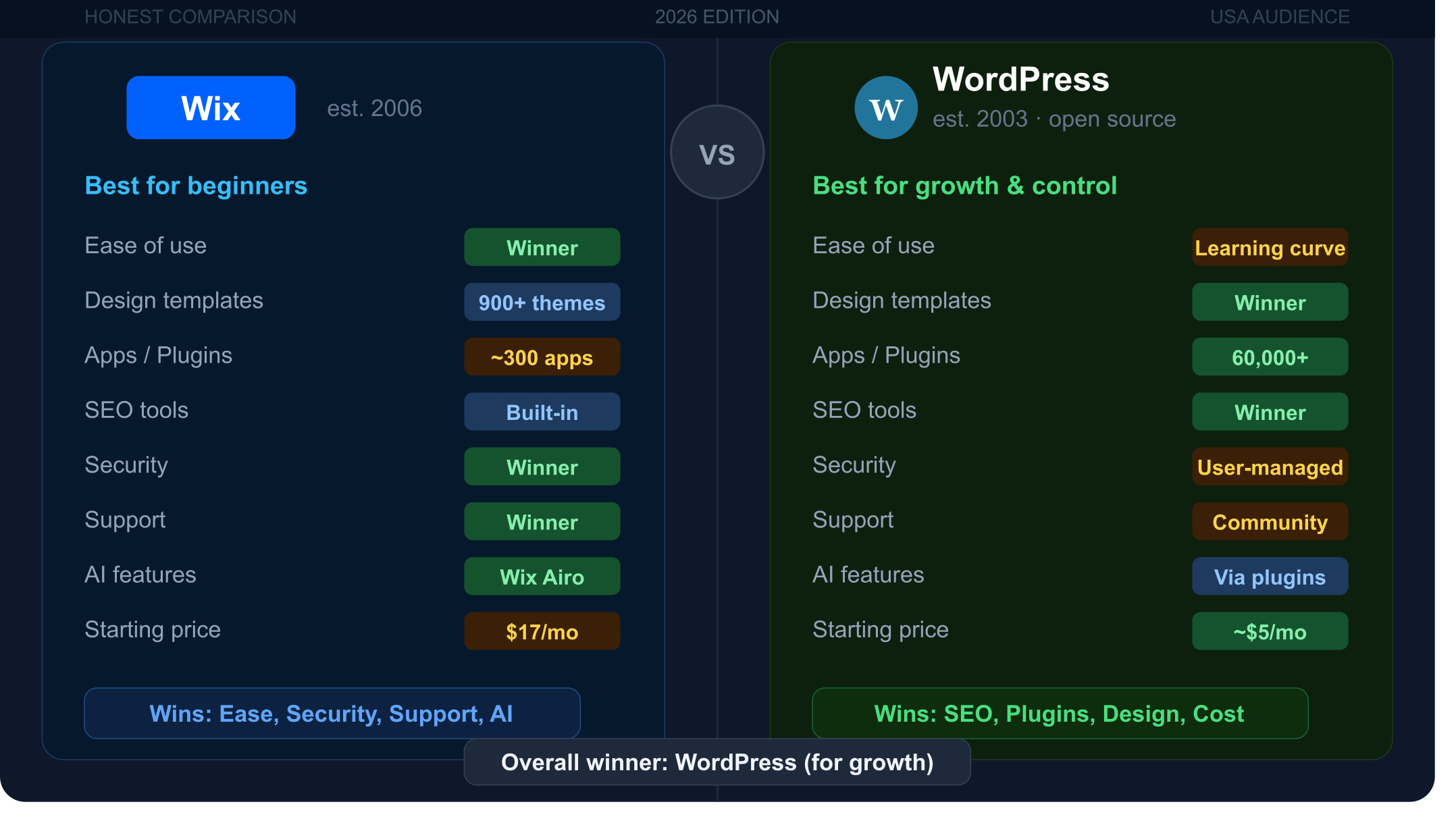
Choosing between Wix and WordPress is one of the most common website decisions Americans make in 2026 — and getting it wrong can cost you serious time, money, and growth. Both platforms can build a professional-looking website, but they operate on completely different philosophies, serve different users, and have very different long-term consequences.
This honest comparison cuts through the marketing noise. Every category gets a clear winner so you can make a confident decision before committing to a platform.
Quick Comparison: Wix vs WordPress at a Glance
| Category | Wix | WordPress | Winner |
|---|---|---|---|
| Ease of use | Drag-and-drop, no setup | Requires hosting, plugins | Wix |
| Design flexibility | 900+ templates, limited code | Unlimited, full code access | WordPress |
| Plugins / Apps | ~300 curated apps | 60,000+ plugins | WordPress |
| eCommerce | Built-in, beginner-friendly | WooCommerce, highly scalable | WordPress |
| SEO | Good built-in tools | Advanced with plugins | WordPress |
| Security | Fully managed | User-managed | Wix |
| Data ownership | Locked in | Full ownership | WordPress |
| AI features | Wix Airo (strong) | Multiple plugins | Wix |
| Maintenance | Automatic | Manual (or managed host) | Wix |
| Support | 24/7 live chat | Community only | Wix |
| Pricing | $17–$159/month | Free + hosting costs | WordPress |
| Blogging | Good | Best in class | WordPress |
Usability
Wix
Wix is genuinely one of the easiest website builders on the internet. You sign up, pick a template, and start dragging elements around immediately — no hosting setup, no technical configuration, no decisions about PHP versions. Wix ADI (Artificial Design Intelligence) can even build a starter site for you by asking a few simple questions about your business. For someone who has never built a website, this is enormously reassuring.
WordPress
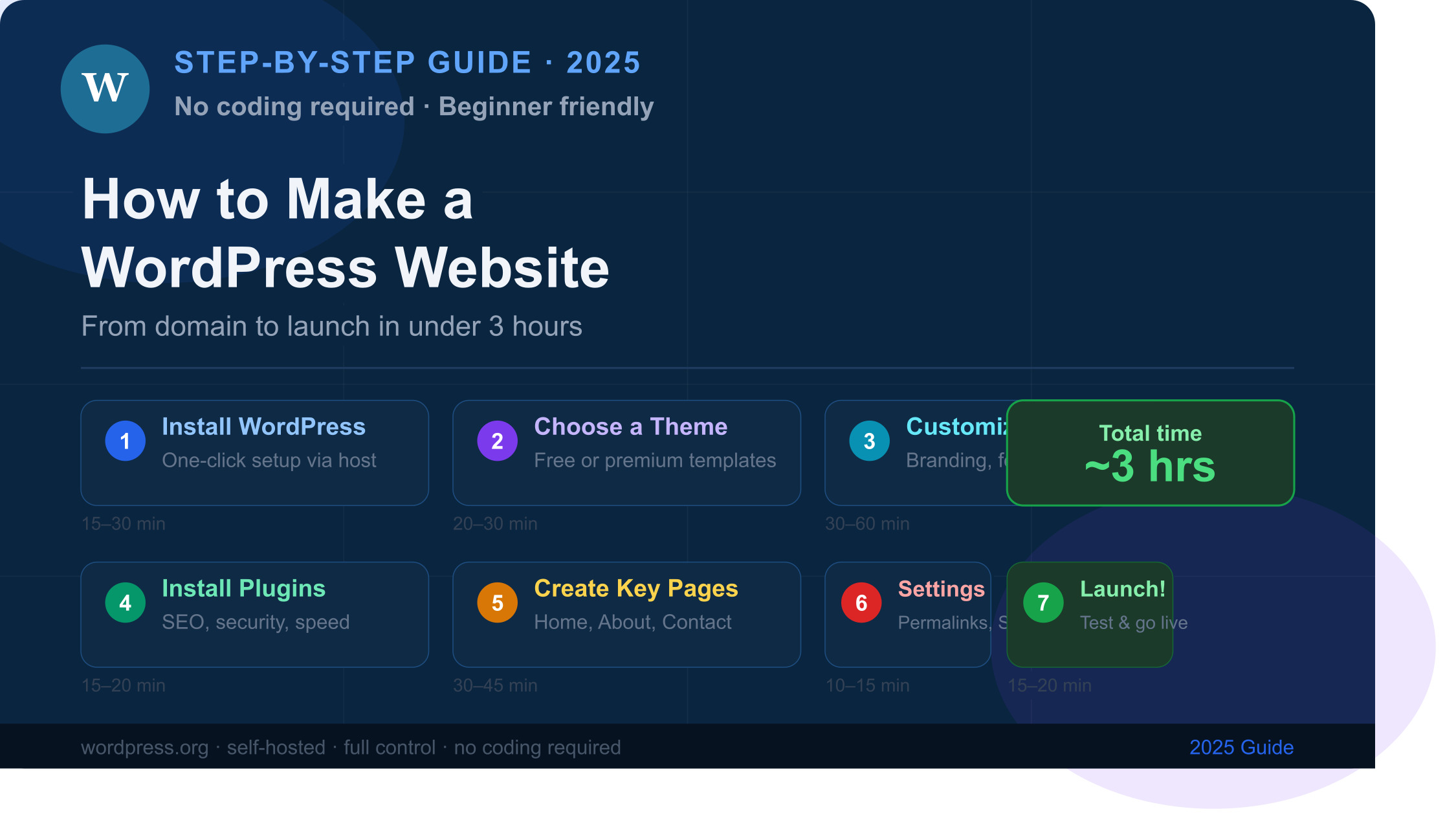
WordPress has a steeper learning curve. Before you can build anything, you need to choose a hosting provider, register a domain, install WordPress, pick a theme, and figure out which plugins you need. That process takes time and involves decisions that beginners are not always prepared to make. Once set up, the Gutenberg block editor is intuitive — but getting to that point requires real effort.
Winner: Wix for absolute beginners. WordPress for users willing to invest a few hours upfront.
Design and Customization
Wix
Wix gives you access to over 900 professionally designed templates sorted by industry. The drag-and-drop editor lets you place elements anywhere on the page with pixel precision. For most small business websites, the design quality is impressive right out of the box. Wix Studio, their pro-tier editor, adds advanced responsive design controls for professional designers.
The limitation: you cannot switch Wix templates after publishing without rebuilding your content from scratch, and editing source code freely is not permitted.
WordPress
WordPress wins on design flexibility — and it is not close. With access to thousands of free and premium themes, plus page builders like Elementor, Divi, and Cadence, you can build virtually any design imaginable. Developers can access and edit HTML, CSS, and PHP directly. You can also switch themes at any time without losing your content.
Winner: WordPress for long-term flexibility. Wix for beautiful results without touching code.
Apps and Plugins
Wix
The Wix App Market offers around 300 curated applications. The curation is a double-edged sword — every app is tested for compatibility so conflicts are rare, but if a tool you need is not in the marketplace, you simply cannot add it. For specialized workflows — advanced affiliate management, complex membership systems, custom API integrations — Wix can leave you stuck.
WordPress
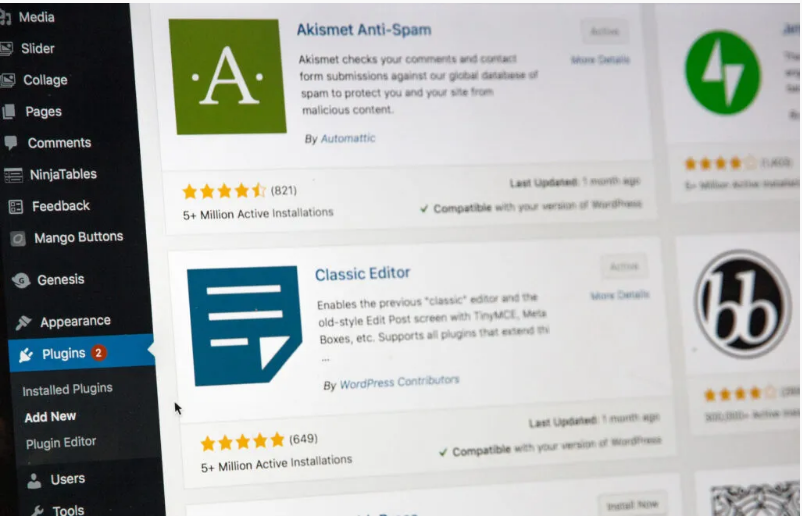
WordPress has over 60,000 free plugins in its official repository, with thousands more available through premium marketplaces. There is a plugin for virtually every functionality imaginable. The downside is that plugin management requires attention — conflicts between plugins happen, and updates must be monitored. But for businesses that need specific, powerful tools, the WordPress plugin ecosystem is unmatched.
Winner: WordPress — by a wide margin on breadth. Wix wins on simplicity of setup.
eCommerce
Wix
Wix eCommerce is built directly into the platform and gets you selling quickly. It includes product management, basic shipping settings, inventory tracking, and payment processing. For small stores selling fewer than 100 products, Wix is fast to launch and easy to manage without a developer.
WordPress
WordPress pairs with WooCommerce, which powers approximately 29% of all online stores worldwide as of 2026. WooCommerce is free to install and supports unlimited products, complex shipping logic, subscription billing, wholesale pricing, multi-currency checkout, and hundreds of payment gateways. At scale, WooCommerce handles enterprise-level operations that Wix simply cannot match.
Winner: WordPress + WooCommerce for scalable, serious eCommerce. Wix for simple small stores that need speed over power.
Wix SEO vs WordPress SEO

Wix SEO
Wix has invested heavily in its SEO infrastructure over the past few years. It now includes automatic sitemap generation, clean URL structures, structured data markup, meta tag editing, and mobile optimization out of the box. For business owners who do not want to manage SEO plugins manually, Wix’s guided SEO setup does a solid job. When properly configured, Wix sites rank well in competitive local search results.
WordPress SEO
WordPress gives you deeper SEO control than any other platform. Plugins like Rank Math and Yoast SEO provide granular control over meta titles, descriptions, XML sitemaps, canonical tags, schema markup, redirects, and internal linking. Combine that with a lightweight, fast theme and quality hosting, and a well-optimized WordPress site can load in under two seconds — a significant advantage given that page speed is a confirmed Google ranking factor.
Winner: WordPress for advanced SEO control. Wix for beginners who want solid SEO without plugin management.
WordPress vs Wix Security

Wix Security
Wix handles all security on your behalf. SSL certificates, DDoS protection, automatic software updates, and server-level security patches are managed entirely by Wix. You never have to think about it. For non-technical users, this is a major advantage — your site is as secure as Wix’s infrastructure, which is enterprise-grade.
WordPress Security
WordPress security is your responsibility. You need to install a security plugin like Wordfence or Solid Security, choose a hosting provider with strong server-level protections, keep WordPress core and all plugins and themes updated, and implement strong authentication practices. When these steps are taken, WordPress is extremely secure. When they are ignored, it becomes a target.
Winner: Wix for hands-off security. WordPress for users with managed hosting or a developer on hand.
Data Ownership and Platform Lock-In
This is the most underrated difference between the two platforms, and it matters enormously for long-term business decisions.
Wix is a closed ecosystem. You cannot export your website and move it to another platform. If Wix raises its prices, removes a feature, or shuts down a plan, your options are extremely limited. Several US businesses have found themselves locked into rising Wix pricing tiers with no practical exit path.
WordPress gives you complete ownership. You own your database, your files, and your content. You can switch hosting providers in hours by exporting and importing your site. You can hire any developer anywhere in the world because WordPress is open-source and universal. If your current host underperforms, you leave — no penalties, no restrictions.
Winner: WordPress — this is not a close call. Full data ownership is a fundamental business asset.
AI Features in 2026

Wix Airo
Wix Airo is the platform’s AI-powered site creation and management suite. It generates complete site designs from a text prompt, writes copy based on your business description, and powers AI-assisted SEO and marketing tools. For non-technical users, Wix Airo is genuinely impressive — it reduces setup time dramatically and produces polished results without design expertise.
WordPress AI
WordPress does not have a single native AI tool but integrates with a growing range of AI plugins — Bertha AI, Jetpack AI, and direct ChatGPT integrations among them. Full-site editing in WordPress 6.7 also includes AI-assisted content blocks. The flexibility to choose your preferred AI tool is a strength, though the out-of-the-box AI experience is not as seamless as Wix Airo.
Winner: Wix for out-of-the-box AI experience. WordPress for flexibility in AI tool selection.
Performance and Core Web Vitals
Page speed affects both user experience and Google rankings. In independent testing, optimized WordPress sites consistently outperform Wix on Core Web Vitals metrics. A well-configured WordPress site with quality hosting, a lightweight theme, and a caching plugin regularly achieves sub-two-second load times.
Wix has improved its performance significantly since 2023, but shared infrastructure and proprietary code constraints mean it is harder to achieve top-tier Core Web Vitals scores without significant optimization work.
Winner: WordPress when properly optimized. Wix is more than adequate for most small business needs.
Maintenance
Wix
Zero maintenance required. Wix automatically handles all software updates, security patches, backups, and hosting infrastructure. You log in and focus entirely on your content and business.
WordPress
WordPress requires active maintenance. You must keep the WordPress core, themes, and plugins updated regularly. Plugin conflicts after updates are a real risk. You are also responsible for backups and monitoring uptime unless your hosting plan includes these features. Managed WordPress hosting from providers like WP Engine or Kinsta removes much of this burden — but adds cost.
Winner: Wix for maintenance-free operation. WordPress for users with managed hosting.
Support

Wix
Wix provides 24/7 live chat, email support, phone callback options, and an extensive help center with video tutorials. For beginners who get stuck, having a human to contact immediately is a significant advantage.
WordPress
WordPress.org has no official support. You rely on community forums, third-party tutorials, your hosting provider’s support team, or paid freelancers and agencies. The community is enormous and solutions to almost every problem exist online — but finding them takes time and technical comfort.
Winner: Wix for direct, accessible support.
Pricing
Wix: $17 to $159 per month
Wix’s free plan exists but is not practical — it forces Wix branding on your site and assigns an unprofessional subdomain. The Light plan ($17/month) is the entry point for a basic website. Business plans with eCommerce start at $36/month. The Business Elite plan tops out at $159/month.
| Wix Plan | Monthly Price | Best For |
|---|---|---|
| Light | $17 | Basic business site |
| Core | $29 | eCommerce starter |
| Business | $36 | Growing online store |
| Business Elite | $159 | High-volume eCommerce |
WordPress: Free software, flexible costs
WordPress software is 100% free. Your real costs are hosting ($3–$30/month), a domain name (~$15/year), and optional premium themes or plugins. A solid WordPress site with quality shared hosting costs around $80–$150/year — significantly less than Wix’s equivalent plans.
| WordPress Cost | Typical Price |
|---|---|
| WordPress software | Free |
| Shared hosting | $3–$10/month |
| Domain name | ~$15/year |
| Premium theme (one-time) | $50–$100 |
| Rank Math Pro | $59/year |
Winner: WordPress for long-term cost efficiency. Wix for predictable all-inclusive pricing.
Blogging

Wix
Wix has a capable blog editor with formatting tools, categories, tags, media embeds, and basic monetization options. For a personal blog or a simple business blog, it gets the job done. It lacks the advanced functionality that serious content publishers need.
WordPress
WordPress was built as a blogging platform and remains the gold standard for content publishing in 2026. Its block editor, advanced scheduling, category and tag taxonomies, custom post types, and vast ecosystem of content plugins make it the clear choice for bloggers, publishers, and content-driven businesses.
Winner: WordPress — it is simply the best blogging platform available.
Who Should Choose Wix?
Wix is the right choice if you:
- Have no technical experience and want a site live within hours
- Run a small local business that needs a clean online presence fast
- Want all hosting, security, and maintenance handled for you
- Value 24/7 customer support and guided onboarding
- Do not expect to need complex custom functionality down the road
- Have a simple store with under 100 products
Who Should Choose WordPress?
WordPress is the right choice if you:
- Plan to grow your website significantly over the next 1–5 years
- Want full ownership and control of your content and data
- Need advanced SEO capabilities to compete in organic search
- Are building a content-heavy site or serious blog
- Plan to run a scalable eCommerce operation with WooCommerce
- Have access to a developer or are willing to learn the platform
- Want the flexibility to switch hosts and control your costs
Our Verdict: WordPress vs Wix in 2026
Wix wins at simplicity. WordPress wins at everything else that matters for long-term business growth.
For the majority of American business owners who plan to grow, compete in search, own their data, and build something they are not locked into — WordPress is the better platform in 2026. The initial setup investment pays back many times over through better SEO, lower costs, full ownership, and unlimited scalability.
If you need a site live today with no technical effort and a simple ongoing presence, Wix is a genuinely excellent tool for that specific use case.
The honest summary: choose Wix if you want ease. Choose WordPress if you want power.
FAQs – WordPress vs Wix
Is Wix or WordPress better for SEO?
WordPress offers more advanced SEO control through plugins like Rank Math, but Wix’s built-in SEO tools are solid for most small businesses when properly configured.
Can you migrate from Wix to WordPress?
There is no direct export option — Wix is a closed platform. Migration is possible but time-consuming and typically requires a developer or a third-party migration service.
Is WordPress harder to use than Wix?
Yes, initially. WordPress requires hosting setup and plugin management, while Wix is fully hosted and ready to use immediately after sign-up.
What does WordPress cost compared to Wix?
WordPress itself is free. With hosting and a domain, a basic WordPress site costs around $80–$150 per year — significantly less than comparable Wix plans.
Is Wix good enough for a small business website?
Yes. For a local business needing a clean, professional online presence without complex functionality, Wix is a fast and capable solution.
Which platform is best for eCommerce?
WordPress with WooCommerce is superior for scalable eCommerce. Wix eCommerce is better for small stores that prioritize ease of setup over long-term flexibility.
Disclaimer: Content on Next Byte Blog is for informational purposes only. Pricing and features mentioned are based on data available at the time of writing and may have changed. We are not affiliated with any tools or platforms mentioned unless stated. Some links may be affiliate links. Always verify information directly with the official source before making decisions.

Muneeb Azhar is the founder, publisher, and lead author of Next Byte Blog. A full-time professional freelancer specializing in SaaS, developer tools, and software reviews, he brings hands-on product experience to every piece he writes. His work covers best-of tool roundups, in-depth comparisons, and honest reviews of both free and paid software — helping readers make smarter decisions without the guesswork.
You really hit the nail on the head regarding how critical this decision is for avoiding wasted resources in 2026. I particularly appreciate the honest breakdown of long-term growth implications, as that is often the overlooked factor when builders pick a platform. It sounds like a great read for anyone trying to balance ease of use with necessary scalability.