When considering using Slack for your organization, the initial thing that comes to your mind would definitely be the cost of Slack services. As a solo worker, entrepreneur, or manager working with a growing company, it will help if you know about the cost structure of Slack before facing any bill surprises later.
In 2026, there are four plans by Slack—Free, Pro, Business+, and Enterprise+. The following guide gives you all the information about each plan and its offerings while also teaching how to spend less on Slack services.
Key Takeaways: Slack Pricing Overview
| Plan | Monthly Billing | Annual Billing | Best For |
|---|---|---|---|
| Free | $0 | $0 | Solo users, tiny teams |
| Pro | $8.75/user/mo | $7.25/user/mo | Small to mid-sized teams |
| Business+ | $18/user/mo | $15/user/mo | Scaling orgs needing compliance |
| Enterprise+ | Custom | Custom | Large enterprises, multi-workspace |
Quick tip: Paying annually saves roughly 17% compared to monthly billing across all paid plans.
Slack Features, Benefits, and Shortcomings
Before we start discussing the pricing plans, it might be important to understand what product you are purchasing. In addition to being a messaging app, Slack is a channel-oriented platform for productive communication.
Benefits of Using Slack
- Organized channels: Keep discussions separated by project, team, or topic so nothing gets buried in a general group chat.
- 2,400+ integrations: Connect Slack with tools your team already uses — Google Drive, Zoom, Salesforce, Trello, Asana, and hundreds more.
- Huddles: Start instant, lightweight audio/video calls directly inside any channel — no scheduling required.
- Workflow Builder: Automate repetitive tasks like standup reminders, onboarding messages, and ticket routing without writing code.
- Slack AI (paid add-on): Summarize long threads, catch up on missed conversations, and surface relevant information faster.
- Searchable message history: On paid plans, your entire conversation history is indexed and searchable, making it easy to find past decisions or shared files.
Shortcomings to keep in mind:
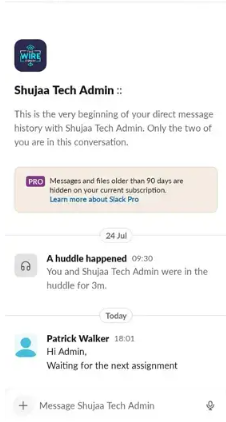
- The free plan’s 90-day message history cap is genuinely limiting for growing teams.
- Per-user pricing can add up fast as headcount grows.
- The 3-user minimum on paid plans catches some small teams off guard.
- Slack AI is a paid add-on — it doesn’t come bundled into standard plans.
Slack Pricing Structure Explained
Slack Free Plan: Can I Use Slack Free Forever?
Absolutely, you may use Slack’s free version for an unlimited amount of time. However, keep in mind that the free version does have its limits, which you’ll most likely come across soon enough.
What you get on the free plan:
- Up to 90 days of message and file history
- 10 third-party app integrations
- 1:1 audio and video calls only
- 1 workspace
- Basic Slack Huddles
What you miss:
- Group video calls and screen sharing
- Unlimited message history
- Guest access
- Workflow Builder and automation
- SAML-based single sign-on (SSO)

The free package is suitable for really tiny teams or solo users experimenting with the service. After your team grows to approximately 5-10 individuals and starts losing context since old conversations are deleted after 90 days, it’s high time you consider moving on.
Slack Pro Plan: Features and Limitations
Cost: $7.25/user/month (annual) | $8.75/user/month (monthly)
The Pro plan is Slack’s most popular paid tier, and for most small to mid-sized teams, it’s the right starting point. It removes the most painful free plan restrictions.
Key Pro plan features:
- Unlimited message history and file search
- Unlimited third-party app integrations
- Group video calls for up to 50 participants
- Screen sharing
- Guest accounts (external collaborators)
- Slack Huddles (audio/video) for all members
- Workflow Builder (limited runs/month)
Limitations of the Pro plan:
- No single sign-on (SSO)
- No compliance exports or audit logs
- No 99.99% uptime SLA
- Does not include Slack AI (available as an add-on)
For a team of 10, the Pro plan runs $870/year on annual billing — a reasonable price for the productivity gains most teams see.
Slack Business+ Plan: Features and Limitations
Cost: $15/user/month (annual) | $18/user/month (monthly)
Business+ is designed for medium to large organizations that need enterprise-grade security controls, stronger admin oversight, and guaranteed reliability. It’s also the minimum plan required for compliance-heavy industries.
Key Business+ features — everything in Pro, plus:
- SAML-based single sign-on (SSO)
- SCIM provisioning (automated user management)
- Compliance message exports
- Data Loss Prevention (DLP) integrations
- 99.99% uptime SLA (less than 1 hour of downtime per year)
- 24/7 priority customer support
- Advanced identity management
Limitations:
- Still a single workspace (Enterprise Grid unlocks multi-workspace management)
- Slack AI still a paid add-on
- No customized data retention policies (Enterprise+ only)
For a 10-person team, Business+ costs $1,800/year. For companies in finance, legal, healthcare, or any sector with regulatory requirements, those compliance exports and the uptime SLA alone justify the price jump.
Slack Enterprise+ Plan: Features and Limitations
Cost: Custom pricing — contact Slack sales
Enterprise+ (also called Enterprise Grid) is Slack’s top-tier offering, built for large organizations that operate multiple workspaces across departments or subsidiaries.
Enterprise+ highlights:
- Unlimited workspaces connected under one umbrella
- Centralized admin controls and cross-workspace search
- Enterprise mobility management (EMM)
- Custom data retention policies
- Advanced audit logs and eDiscovery support
- HIPAA support available
- Dedicated customer success manager
- Custom terms and SLAs
Enterprise+ pricing is negotiated directly with Slack’s sales team. Typical deployments start around $15–$20+/user/month, but volume discounts apply at scale.
How to Get Slack at a Cheaper Price
1. Get Slack for Education Discounts
Slack provides an 85% reduction in price for users from qualified educational institutions when using Pro and Business+ plans. These include accredited colleges and universities, K-12 institutions, faculty organizations, student organizations, alumni organizations, and athletic organizations.
To be able to benefit from this discount, you can sign up through the official Slack Education Discount page by verifying the accreditation status of your institution. The price per user for $7.25 drops down to about $1.09 per month.
Note: education branches within government bodies (Departments of Education) cannot make use of this offer, as Slack demands users above 16 years old according to its terms of service.
2. Get Slack for Nonprofits Discount
Qualifying nonprofits get some of the most generous discounts Slack offers:
- 250 members or fewer: Free upgrade to the Pro plan
- More than 250 members: 85% discount on Pro or Business+
- Enterprise plans: Discount available for deployments of 1,000+ members
To apply, fill out the nonprofit application form on Slack’s nonprofit portal. Slack often utilizes Techsoup for verifying the charitable status of nonprofit organizations in many parts of the world. Your nonprofit organization should not practice discrimination with respect to gender, religion, race, sexual orientation, or nationality.
Get Slack Promo Codes and Coupons
Promotional codes are available periodically by Slack on events like Black Friday and Cyber Monday. Sometimes there are promotions through the partner programs too. You will find various coupons online where discounts are up to 40%. However, it is recommended that you confirm the validity of such codes at their website only.
Annual billing itself acts as a built-in discount, saving roughly 17% versus monthly. Enterprises that negotiate contracts directly with Slack’s sales team reportedly secure an average of around 14% off list pricing, with deeper discounts for larger deployments.
What’s the Best Cheap Slack Alternative?
Slack is genuinely excellent — but its per-user pricing becomes painful as teams scale. If cost is the driving concern, here are the strongest alternatives worth considering in 2026:
| Tool | Free Plan | Starting Paid Price | Best For |
|---|---|---|---|
| Microsoft Teams | Yes (with M365) | Included in M365 subscription | Teams already on Microsoft 365 |
| Google Chat | Yes (with Workspace) | Included in Google Workspace | Google Workspace teams |
| Pumble | Yes (unlimited history) | $2.49/user/mo | Budget-conscious teams wanting Slack-like UX |
| Discord | Yes | Free (Nitro optional) | Communities, startups, dev teams |
| Zoom Team Chat | Yes | Included with Zoom plans | Video-first teams already paying for Zoom |
Our choice: Whether you’re currently using Microsoft 365 or Google Workspace, Teams or Google Chat provide a great messaging platform without any additional expense. For those who wish to replace Slack but don’t like its per-user subscription model, the closest alternative is Pumble which provides unlimited message history in its free package and paid plans beginning at $2.49/user/month.
Wrapping Up: Is Slack Worth Paying For?
For most teams, yes — Slack is worth it, with one important caveat: pick the right plan for your actual needs.
Free plan is enough for very small teams and solo work. Pro plan for $7.25/user/month is the best fit for a typical small business – it lifts all limitations that actually matter about the free plan at a price that doesn’t really require justification. If your company has any compliance concerns, needs for SSO support, or just cannot tolerate the slightest downtime, then Business+ is the one to go with.
For which premium product features you pay a premium price? The answer is integration, UX, and workflow automation capabilities, and Slack does an amazing job with all of that.
If budget is an issue, then Google Chat or Pumble will provide all the basic features. However, for teams that have some deeper integrations, especially with Salesforce or Jira, Slack offers a significant edge because of its rich ecosystem.
Slack Pricing: FAQs
How much does Slack cost per user?
Slack costs $7.25/user/month on the Pro plan (annual billing) or $15/user/month on Business+ (annual billing). Monthly billing adds roughly 20% to each price.
Can I video call on Slack?
Yes — the free plan supports 1:1 video calls, while paid plans unlock group video calls for up to 50 participants plus screen sharing and Slack Huddles.
How much is the Slack Pro plan?
The Slack Pro plan costs $7.25/user/month on annual billing or $8.75/user/month on monthly billing.
How many people can use Slack for free?
Slack’s free plan has no user limit — any number of people can join a free workspace. The restrictions are on features (90-day message history, 10 integrations, 1:1 calls only), not on headcount.
Disclaimer: Content on Next Byte Blog is for informational purposes only. Pricing and features mentioned are based on data available at the time of writing and may have changed. We are not affiliated with any tools or platforms mentioned unless stated. Some links may be affiliate links. Always verify information directly with the official source before making decisions.
- Flock Review 2026: Ease of Use, Pricing, and Features
 Since 2014, Flock has been quietly catering to small and mid-sized businesses, lacking in name recognition compared to Slack and Microsoft Teams, but charging a fee…
 - Webex Pricing Guide for 2026: Free, Unlimited, and Business Plans Explained
 Webex is the enterprise communication solution offered by Cisco, one of the most reliable brands in video conferences, calls, and collaboration solutions for US companies. However,…
 - Zenzap Review 2026: Best Communication Tool For Business, Communities, and Groups?
 It is an unfortunate reality that every team faces at some point: key business decisions lost in a WhatsApp thread with friends, crucial documents lost in…
 - Top 10 Affordable and Easy-to-Use Jira Alternatives in 2026 (Based on Real Testing)
 If you’ve ever spent 30 minutes trying to figure out how to configure Jira for a basic task board, you are certainly not alone. Many thousands…
 - Slack Pricing Explained in 2026: Free Plan, and Paid Plans
 When considering using Slack for your organization, the initial thing that comes to your mind would definitely be the cost of Slack services. As a solo…

Muneeb Azhar is the founder, publisher, and lead author of Next Byte Blog. A full-time professional freelancer specializing in SaaS, developer tools, and software reviews, he brings hands-on product experience to every piece he writes. His work covers best-of tool roundups, in-depth comparisons, and honest reviews of both free and paid software — helping readers make smarter decisions without the guesswork.
One thought on “Slack Pricing Explained in 2026: Free Plan, and Paid Plans”