
Notion is really popular as an all-in-one workspace tool, but it tries to do too much. This means it doesn’t excel at anything in particular. Sometimes it loads slowly, especially with big databases, and its learning curve can be a pain for new users. Oh, and it’s annoying that you need to be online to use it. Plus, as teams grow, the per-seat pricing adds up fast.
After trying out lots of other tools for things like note-taking, team work, and project managing, I found that what suits you best depends on where Notion is failing your team the most.
This guide ranks the 10 best Notion alternatives in 2026, tested across real workflows, with verified pricing and honest assessments of where each tool wins and where it does not.
Key Takeaways: The Best Notion Alternatives
| Tool | Best For | Free Plan | Starting Paid Price |
|---|---|---|---|
| Coda | Collaborative docs with AI and automation | ✅ Yes | $12/Doc Maker/month |
| Asana | Project management and task tracking | ✅ Up to 10 users | $10.99/user/month |
| ClickUp | All-in-one productivity for teams | ✅ Unlimited users | $7/user/month |
| Trello | Visual kanban project management | ✅ Unlimited cards | $5/user/month |
| Basecamp | Team communication + project hub | ❌ 30-day trial | $15/user/month |
| Confluence | Team knowledge and documentation | ✅ Up to 10 users | $5.16/user/month |
| Airtable | Database-style flexible workspace | ✅ Limited views | $20/seat/month |
| xTiles | Visual thinking and creative organization | ✅ Yes | $7/month |
| Evernote | Classic note-taking and web clipping | ✅ 1 device free | $14.99/month |
| Todoist | Personal and team task management | ✅ Yes | $4/month |
Experts Pick: Coda Is the Best Notion Alternative
Coda is pretty much the closest you’ll get to Notion. While it offers comparable features for taking notes, it boasts more advanced project management tools. It’s also way friendlier to use than Notion, with a quicker learning curve. Plus, after logging over 500 hours testing productivity apps, I found Coda beats Notion on AI abilities, handling big datasets, and interactive automations – and it’s all free!
Top 10 Notion Alternatives: Based on Our Rigorous Testing
I shortened that to say: Every tool got tested on five things: setup time, how good they are for daily use, deep collaboration, AI features in 2026, and how generous their free plans are. We didn’t just look at features; we judged based on which ones sped up real work the most.
Coda

Best for Collaborative Docs
In Notion, you get a blank canvas that requires plenty of setup, but Coda provides a ready-to-use workspace with handy tools like buttons, automations, and AI features. If your team needs documents to actually do stuff—like trigger workflows or send notifications—Coda’s the better pick.
With Coda, you can use its formula engine to add Excel-like logic straight into documents. Plus, there are Packs that pull live data from apps like GitHub, Jira, Slack, and Salesforce right into your Coda space. Unlike in Notion, where complicated databases might slow things down, Coda lets you handle big tables and live data without any lag.
Key strengths:
- Docs-as-apps architecture: build interactive tools without writing code
- AI that can analyze and summarize table data within the doc itself
- Packs for two-way data sync with 500+ external tools
- “Doc Maker” pricing model: viewers are always free — you only pay for creators
Free plan: Unlimited docs, basic Packs, limited table rows. Paid from $12/Doc Maker/month.
Other Things I Like About Coda
- Formula engine significantly more powerful than Notion’s formula system
- Native button and form components enable lightweight internal tooling
- Coda AI generates table data, drafts content, and answers questions about doc content
- Template gallery built by actual Coda power users covers real business workflows
Asana
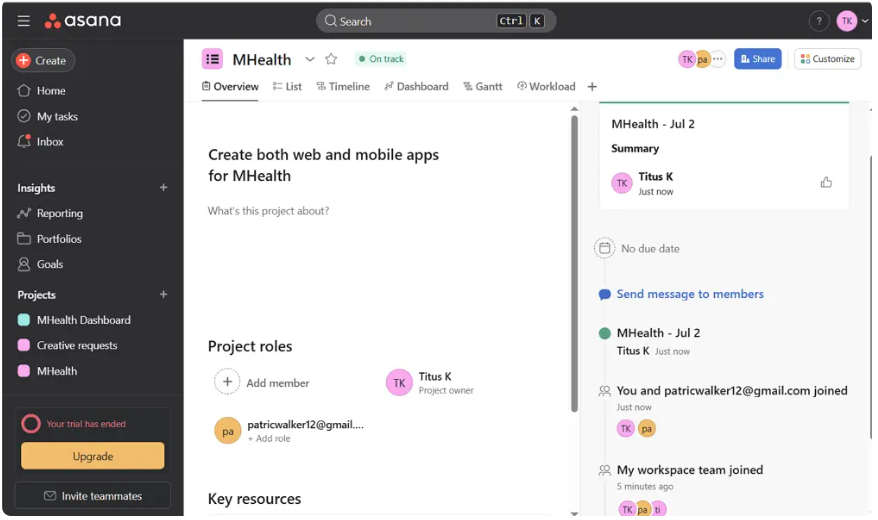
Best for Project Management and Task Tracking
Asana is known for its reliability in both individual and team workflows. Unlike Notion, which needs a lot of setup to work as a project tracker, Asana comes with one ready to go. They have timelines, dependencies, goals, and portfolios right in the system, no improvising needed.
When cross-functional teams need to run sprints, track OKRs, and manage multiple projects at once, Asana provides the reporting and visibility that Notion just can’t match at standard pricing.
Key strengths:
- Timeline view with dependency mapping across tasks and projects
- Goals and Portfolios for executive-level visibility across multiple workstreams
- Unlimited automations on Starter plan — no monthly action cap
- Asana AI Studio for workflow automation suggestions and status summaries
Free plan: Up to 10 users with unlimited tasks. Paid from $10.99/user/month (Starter).
Other Things I Like About Asana
- Rules-based automation handles most routine project management handoffs without coding
- Forms and intake workflows convert external requests directly into tracked tasks
- Strong mobile apps — rated higher than Notion on iOS and Android usability
- Integrates natively with Google Workspace, Slack, Zoom, HubSpot, and Salesforce
ClickUp
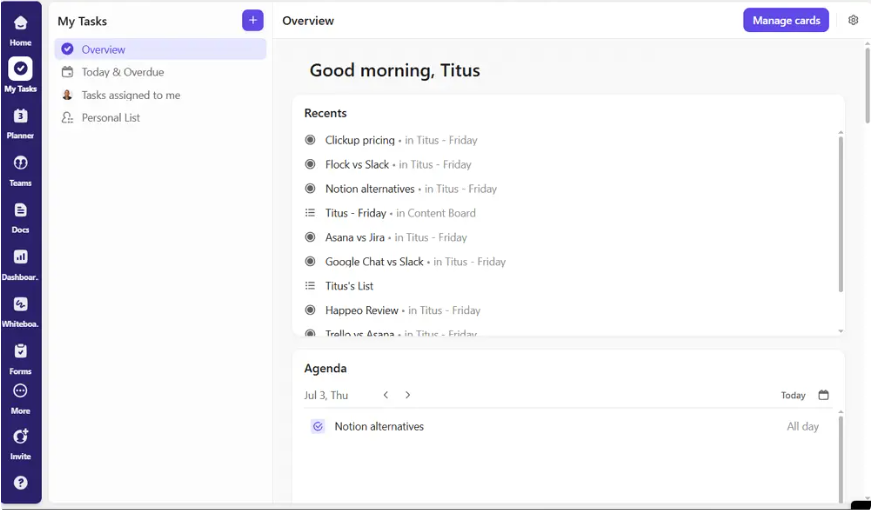
All-in-One Productivity Suite
ClickUp edges out Notion for team use because it has way more project management tools and costs less, even offering a very impressive free plan. The free ClickUp plan blows others out of the water with unlimited users and tasks plus 15+ views like List, Board, Gantt, Calendar, and Mind Map.
ClickUp totally shines when you look at what Notion users really care about: native Gantt charts, Sprints, dashboards, AI search, and the free plan. Teams moving from Notion can hit the ground running with ClickUp’s vast template library and wide array of built-in features, creating a functional workflow super quick without having to spend weeks setting everything up.
Key strengths:
- 15+ views without requiring add-ons or paid upgrades
- Built-in Docs, Whiteboards, and time tracking in the same workspace
- ClickUp Brain AI for task summaries, writing assistance, and workspace-wide search
- Sprint management, workload balancing, and custom dashboards on Business tier
Free plan: Unlimited users, unlimited tasks, 100MB storage. Paid from $7/user/month (Unlimited).
Other Things I Like About ClickUp
- Best-in-class free plan for unlimited team size — Notion caps free at 1 guest
- ClickUp’s setup time is faster than Notion for most team workflows when using templates
- Genuine offline mode — tasks remain accessible and editable without a network connection
- 1,000+ integrations covering every major business tool category
Trello
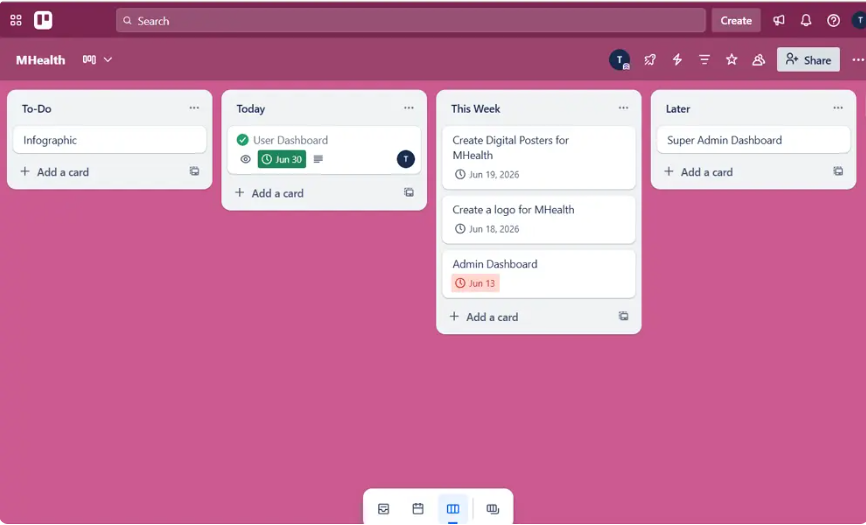
For Visual Project Management
Trello is super easy to use for kanban-style project management. If your team moves cards from “To Do” to “In Progress” and then “Done,” Trello sets that up quickly with no complicated setup needed.
It’s great for small teams and freelancers with simple projects. For stuff that follows a straight-line process, Trello’s straightforwardness really shines. Instead of trying to be a wiki, database, and task manager all at once, it stays focused on providing the clearest visual board out there.
Key strengths:
- Drag-and-drop card interface with zero learning curve
- Power-Ups for adding calendar, timeline, and automation capabilities
- Unlimited cards on all plans — including free
- Butler automation for recurring workflow tasks without code
Free plan: Unlimited cards, 10 boards per workspace. Paid from $5/user/month.
Other Things I Like About Trello
- Timeline view available on Standard plan — sufficient for basic project roadmaps
- Template gallery covers project management, marketing, HR, and sales use cases
- Mobile experience is the most consistent of all tools tested
- Works well for external collaborators who are not regular Trello users
Basecamp
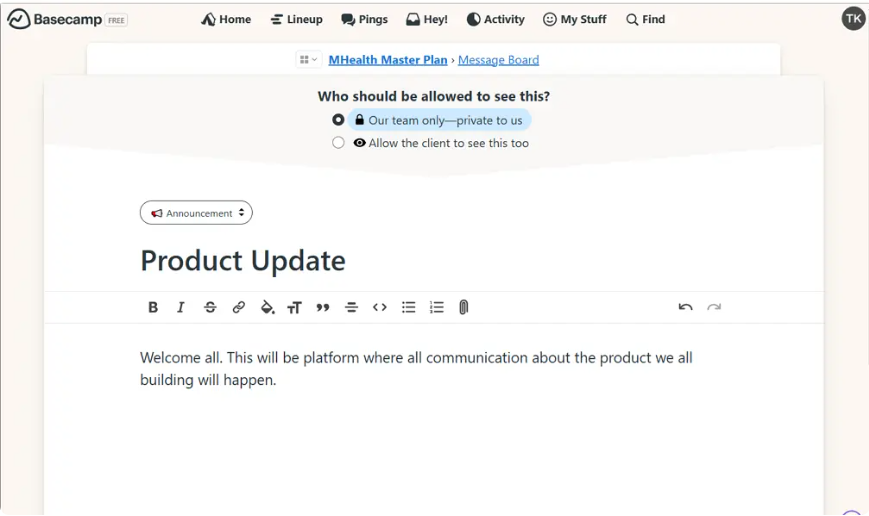
All-in-One Project and Team Communication Hub
Basecamp tackles a problem others ignore: juggling communication, tasks, and files across different apps. It packs message boards, to-do lists, file storage, direct messages, and check-ins into one simple package. For unlimited users, it costs $299 per month, making it cheaper than Notion, ClickUp, or Asana once team sizes hit around twenty people. So, Basecamp comes out on top for larger teams looking to save cash.
Key strengths:
- Flat-rate pricing ($299/month flat) removes per-seat cost at scale
- Hill Charts for visualizing project progress at a conceptual level
- Automatic check-in questions replace daily standups
- Client access built in — invite external clients to specific project areas
Free plan: 30-day trial. Paid from $15/user/month (Basecamp Plus) or $299/month flat (Basecamp Pro Unlimited).
Other Things I Like About Basecamp
- No-frills interface that non-technical team members adopt without any training
- Message boards replace Slack + email for project-specific communication
- Campfire (team chat) reduces the need for a separate communication tool
- Particularly strong for remote-first teams that need async communication baked into project management
Confluence
A Collaborative Workspace for Team Knowledge and Documentation
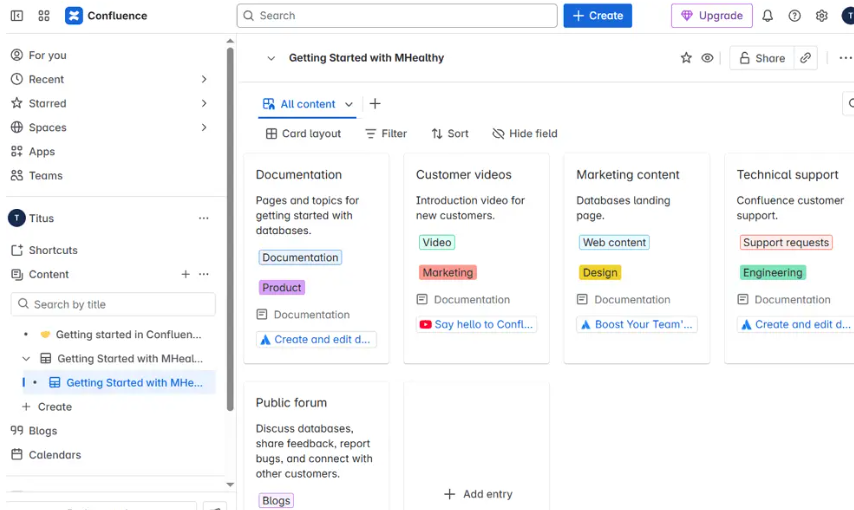
If you depend heavily on Atlassian products, Confluence is your best bet for smooth integration. It’s designed specifically for team docs like runbooks, specs, and requirements, and integrates deeply with Jira, Bitbucket, and other Atlassian tools.
Engineering and product teams that use Jira love how Confluence cuts down on jumping between apps. You can link Jira tickets straight to Confluence pages, retros populate from Jira data automatically, and specs stay linked to the issues they describe. So everything stays connected and easy to find.
Key strengths:
- Deepest Jira integration of any documentation tool tested
- Atlassian Intelligence AI for page summaries, content generation, and Q&A
- Space-based organization matches engineering team structure
- Enterprise-grade permissions and audit logging
Free plan: Up to 10 users with unlimited pages. Paid from $5.16/user/month.
Other Things I Like About Confluence
- Macro system embeds dynamic content (Jira boards, charts, code blocks) directly in pages
- Template library with 75+ pre-built templates for engineering, product, and HR documentation
- Whiteboards available in Confluence for collaborative visual planning
- SOC 2, ISO 27001, and HIPAA compliance on Enterprise plans
Airtable
A Flexible Database-Style Alternative to Notion
Airtable does an excellent job at showing complex data clearly. While Notion is fine for simple project tracking, Airtable nails intricate, structured data—with linked records, rollups, and lookup fields. Non-tech folks can handle its user-friendly spreadsheet style too.
For tasks like content calendars, replacing CRMs, inventory tracking, and planning events, where data connections matter way more than creating docs, Airtable usually beats Notion.
Key strengths:
- Relational database model with linked records and lookup fields
- Gallery, Grid, Kanban, Calendar, Gantt, and Timeline views on one dataset
- Airtable AI for field generation, record summarization, and data enrichment
- Interface Designer for building custom views for different team members
Free plan: Unlimited bases, limited records per base and views. Paid from $20/seat/month.
Other Things I Like About Airtable
- Automation builder handles complex conditional logic across linked tables
- API access available on all plans for connecting Airtable to your existing tools
- Forms collect structured external input directly into Airtable bases
- Particularly strong for marketing operations and content production workflows
xTiles
Visual Thinking and Organization for Creative Minds
xTiles is a visual-first alternative to Notion, perfect for creative pros who think spatially. It excels at visual note-taking by merging canvas organization with traditional pages. This tool is great for designers, researchers, and creatives since it lets you organize ideas, mood boards, and visual refs easily. Unlike Notion, xTiles avoids the hassle of fitting visual content into its list and block setup.
Key strengths:
- Spatial canvas for visual organization of notes, images, and embeds
- Tiles that combine text, images, links, and media in a single flexible unit
- Mobile-first design with genuinely good iOS and Android apps
- Clean, minimal interface with fast load times
Free plan: Available with core canvas features. Paid from $7/month.
Other Things I Like About xTiles
- Notion import support for migrating existing content without rebuilding from scratch
- Offline mode available — notes sync when connectivity is restored
- Shared tiles and collaborative canvas for team brainstorming
- Lower learning curve than Notion for first-time productivity app users
Evernote
A Classic Note-Taking App
Evernote is the longest-standing note-taking application in this list, and in 2026 it remains the best option for users who primarily need to capture, organize, and retrieve notes across devices — with industry-leading web clipping capabilities.
For professionals who clip articles, annotate PDFs, scan physical documents, and search handwritten text within images, Evernote’s capture ecosystem is unmatched. Notion has no equivalent web clipper, and Evernote’s OCR-powered search across all content types is genuinely useful for research-heavy workflows.
Key strengths:
- Best web clipper of any tool tested — captures full pages, articles, and PDFs cleanly
- OCR-powered search that finds text within scanned documents and images
- Document scanning via mobile camera with automatic enhancement
- Tasks integrated with note content for basic productivity management
Free plan: 1 device only, 60MB monthly uploads. Paid from $14.99/month (Personal).
Other Things I Like About Evernote
- Available on every platform including Windows, Mac, iOS, Android, and web
- Offline access on all paid plans — critical for users in low-connectivity environments
- Forward emails directly into Evernote for capture without manual copying
- Integration with Google Calendar for meeting notes linked to calendar events
Todoist
A Powerful Task Manager for Personal and Team Productivity
Todoist is the best pure task manager in this list — clean, fast, and genuinely cross-platform in a way that Notion’s mobile experience has never matched. For users whose primary Notion use case is task management, Todoist does that single job better than any all-in-one workspace.
Natural language input (“Submit report every Friday at 4pm”) creates recurring tasks automatically. Karma gamification tracks productivity streaks. Filter views surface every task meeting specific criteria — due date, project, label, or priority — across your entire task library.
Key strengths:
- Natural language input for fast task creation on any platform
- Priority levels, labels, filters, and recurring task rules
- Todoist for Teams with shared projects and task assignment
- Integrations with Gmail, Outlook, Slack, Google Calendar, and 100+ tools
Free plan: Up to 5 projects, unlimited tasks. Paid from $4/month (Pro, billed annually).
Other Things I Like About Todoist
- The most consistent cross-platform experience tested — identical on iOS, Android, Mac, Windows, and web
- Sub-tasks and project hierarchies for organizing complex personal workflows
- Offline mode syncs immediately when connectivity returns
- Todoist AI assistant for deadline suggestions, task scheduling, and priority recommendations
What Are the Downsides of Notion?
Understanding why Notion users switch is as important as knowing the alternatives. The four most consistent complaints across user reviews and expert testing in 2026:
1. No true offline mode. Cached pages display without connectivity, but editing fails without an internet connection. For mobile users and travelers, this is a genuine workflow blocker.
2. Performance degrades with large databases. Notion requires significant setup and ongoing maintenance, and that investment produces diminishing returns with large page counts. Load times of 2–4 seconds on complex pages are common.
3. Steep learning curve. The “Setup Time” column is the real differentiator. Notion’s biggest complaint is the setup tax — hours spent building systems before doing actual work.
4. Per-seat pricing at scale. Notion Plus at $10/user/month and Business at $18/user/month compound quickly for growing teams. At 25 users, the annual cost of Notion Business ($5,400/year) is significantly higher than ClickUp Business ($3,600/year) or Basecamp Pro Unlimited ($3,588/year flat).
In Conclusion: What’s the Best Notion Alternative?
The teams getting the most out of their workspace in 2026 are not the teams with the most templates. They are the teams whose tool primitive matches the shape of their work.
The right Notion alternative depends on what Notion is failing to do for you:
- Slow databases and limited automation → Coda
- Need real project management → Asana or ClickUp
- Visual kanban workflows → Trello
- Atlassian ecosystem → Confluence
- Structured relational data → Airtable
- Visual, spatial organization → xTiles
- Pure note-taking with web clipping → Evernote
- Task-first productivity → Todoist
- Team communication + projects flat-rate → Basecamp
Start with the free plan of your top candidate. Run your actual workflow through it for one week. The tool that stops feeling like setup and starts feeling like thinking is the right one.
FAQs: Notion Alternatives
What’s Better, Asana or Notion?
Asana is better for structured project management, task dependencies, and goal tracking. Notion is better for flexible document-and-database workflows where teams need a wiki alongside their project tracker.
Is Notion Better Than Evernote?
Notion is better for team collaboration, databases, and flexible workspace building. Evernote is better for personal note-taking, web clipping, and offline access across multiple devices.
Which Is Better, Trello or Notion?
Trello is better for simple visual project management with kanban boards and fast team adoption. Notion is better when you need a knowledge base, wiki, and project tracker in a single platform.
Disclaimer: Content on Next Byte Blog is for informational purposes only. Pricing and features mentioned are based on data available at the time of writing and may have changed. We are not affiliated with any tools or platforms mentioned unless stated. Some links may be affiliate links. Always verify information directly with the official source before making decisions.

Muneeb Azhar is the founder, publisher, and lead author of Next Byte Blog. A full-time professional freelancer specializing in SaaS, developer tools, and software reviews, he brings hands-on product experience to every piece he writes. His work covers best-of tool roundups, in-depth comparisons, and honest reviews of both free and paid software — helping readers make smarter decisions without the guesswork.